
Quality management systems (QMS) help teams control processes, yet products can still pass inspection and come back with defects.
When that happens, the problem usually isn’t the inspection itself but how quality data, supplier records, and corrective actions are tracked.
Disconnected systems and manual logs make it hard to trace what went wrong or fix it fast. That’s when teams start looking for the best manufacturing QMS software.
Software for quality control in manufacturing connects inspections, defect tracking, and follow-up actions into a clear workflow. This guide shows how these systems improve quality outcomes.
TL;DR
- Software for quality control in manufacturing tracks inspections, defects, and compliance so products meet defined standards.
- It replaces manual tracking with connected workflows that improve accuracy and process control.
- It links inspections with audits, documents, and training to strengthen compliance and consistency.
- TLM brings these features together in one system to improve traceability and support continuous quality improvement.
What Quality Control Software Does in Manufacturing
Quality control software records inspections, defects, and approvals during production. It helps teams track product quality as materials move through manufacturing operations, with each record linked to products and suppliers.
When inspection data, supplier records, and quality logs stay disconnected, tracing quality issues takes longer, and supplier performance becomes harder to track. Meeting regulatory requirements also becomes more difficult.
Teams use this software to capture inspection results in real time, review quality metrics, and monitor key performance indicators (KPIs). This allows faster response when quality problems appear during production.
Quality Control Software vs. Quality Assurance vs. QMS Software
If you’re comparing tools, this is where many manufacturing companies get confused. These terms sound similar, but they solve different problems inside your quality system.
Quality Control Finds and Contains Defects
Quality control (QC) is the checkpoint during production. Teams inspect materials, measure parts, and test outputs using testing equipment to confirm they meet requirements.
This includes:
- In-process inspections
- Final product testing
- Recording defects and nonconformances
- Verifying outputs against specifications
It reduces defects and catches quality problems before products reach customers. But it doesn’t explain why those problems happened or how to prevent them next time.
Quality Assurance Prevents Defects
Quality assurance (QA) looks at how the work gets done. It sets the rules that guide manufacturing processes so teams don’t rely on inspection alone.
This includes:
- Controlled procedures through document management
- Employee training based on job roles
- Internal audits to confirm standards are followed
- Defined workflows that support consistent quality control
It helps manufacturing companies build reliable quality processes and maintain compliance without relying only on final checks.
QMS Connects the Two
A quality management software system brings these pieces together. It links inspection results with documents, audits, training, and corrective actions so teams can trace a defect back to its source.
A failed inspection might point to a supplier issue, a missed step in a procedure, or a training gap. That insight supports risk management, helps teams analyze data, and drives continuous improvement.
This is where a full manufacturing quality control system stands apart. It connects quality with supply chain management and core business processes, so improvements don’t stop at inspection.
How Quality Control Software Fits into Daily Manufacturing Work
According to Sedgwick, defective units in the five analyzed industries rose 26% in 2025, reaching 858 million units. That increase shows how quickly defects move through the production process when they aren’t caught early.
Catch Material Issues Before They Reach Production
Incoming materials affect everything that follows. If a supplier delivers out-of-spec parts and receiving doesn’t catch it, those defects move into production and affect finished goods.
Quality control inspections at receiving record inspection results, supplier performance, and material details, such as lot numbers. When a batch fails inspection, teams can reject it before it enters production.
Keep Inspections Consistent During Production
Production depends on repeatable inspection steps. Paper forms and manual notes often lead to missing measurements or inconsistent records.
Digital checklists guide operators through inspections as they work. Teams use mobile devices to record measurements during inspections. This keeps QC processes consistent and improves data collection for statistical analysis.
Fix Issues After a Failed Inspection
A failed inspection needs a structured response. If teams rely on email or verbal updates, defects can remain unresolved or be handled differently each time.
A manufacturing quality control system records the defect, assigns responsibility, and connects it to corrective action.
Quality managers can review the issue, track progress, and use that data to reduce errors and prevent the defect from recurring.
Keep Audits and Compliance From Interrupting Work
Audit preparation often slows production when the records are outdated. Searching for documents, training records, and approvals takes time and increases risk.
With document control and audit management, records are updated as work is completed. Compliance officers can review audit trails, confirm version control, and generate reports from the system without interrupting production.
Common Issues With Standalone Quality Control Tools
Standalone tools slow teams down in ways that don’t show up until something goes wrong. Inspectors log results, then someone re-enters the same data for reports or follow-up.
When a defect shows up, teams search emails, spreadsheets, and shared folders to understand what happened.
Version mix-ups increase errors. One team updates a procedure, another uses an older version, and the issue shows up later as a defect or even a customer complaint. Approvals get delayed because no one has a full view of what’s pending.
Investigations take longer than they should. Quality managers gather supplier records, inspection results, and documents from different systems before they can move forward. This delay makes it harder to meet customer expectations.
This is why manufacturers are moving from inspection software to connected quality systems like TLM.
Quality now touches production, suppliers, engineering, and leadership. A defect can start with incoming materials, outdated procedures, or gaps in training.
Systems built for total quality management (TQM) connect these inputs, reduce duplicate work, and help teams mitigate risks earlier in the product lifecycle management process.
How TLM Improves Quality Control in Manufacturing
TLM connects quality records so teams can move from an audit finding to investigation and action without piecing information together by hand.
Corrective and preventive action (CAPA) records can also link to vendors, equipment, employees, and risk and opportunity analysis, which gives teams better context when they’re working through nonconformances.
Gives Each User Access to the Work They Need
TLM includes a mobile-friendly web app for audits, records, approvals, document access, and assigned tasks. It also uses the TLM Dashboard to send assignments, due dates, and notification emails to the people responsible.
This supports day-to-day quality work without slowing down other departments. Users can review, approve, and complete assigned tasks through the same system.
Sets Up Workflows That Match Your Processes
TLM includes custom fields, system settings, customizable checklists, and a custom form generator. Organizations can match the system to internal processes, approval steps, and data requirements.
The source shows this flexibility in document control, CAPA, audits, and change control. That gives manufacturers more control over how records move through the system.
Supports Audits, Compliance, and Continuous Improvement
TLM includes built-in audit templates for widely used standards, including:
- International Organization for Standardization (ISO) 9001
- ISO 13485
- ISO 14001
- ISO 17025
- Hazard Analysis and Critical Control Points (HACCP)
- International Automotive Task Force (IATF) 16949
- Safe Quality Food (SQF)
The platform also supports integration with enterprise resource planning (ERP) systems, which gives quality teams access to operational data when reviewing records.
Combined with metrics, follow-up tasks, and linked quality records, this gives manufacturers a better foundation for data-driven decision-making.
Keep Quality Work Organized and Easy to Track With TLM
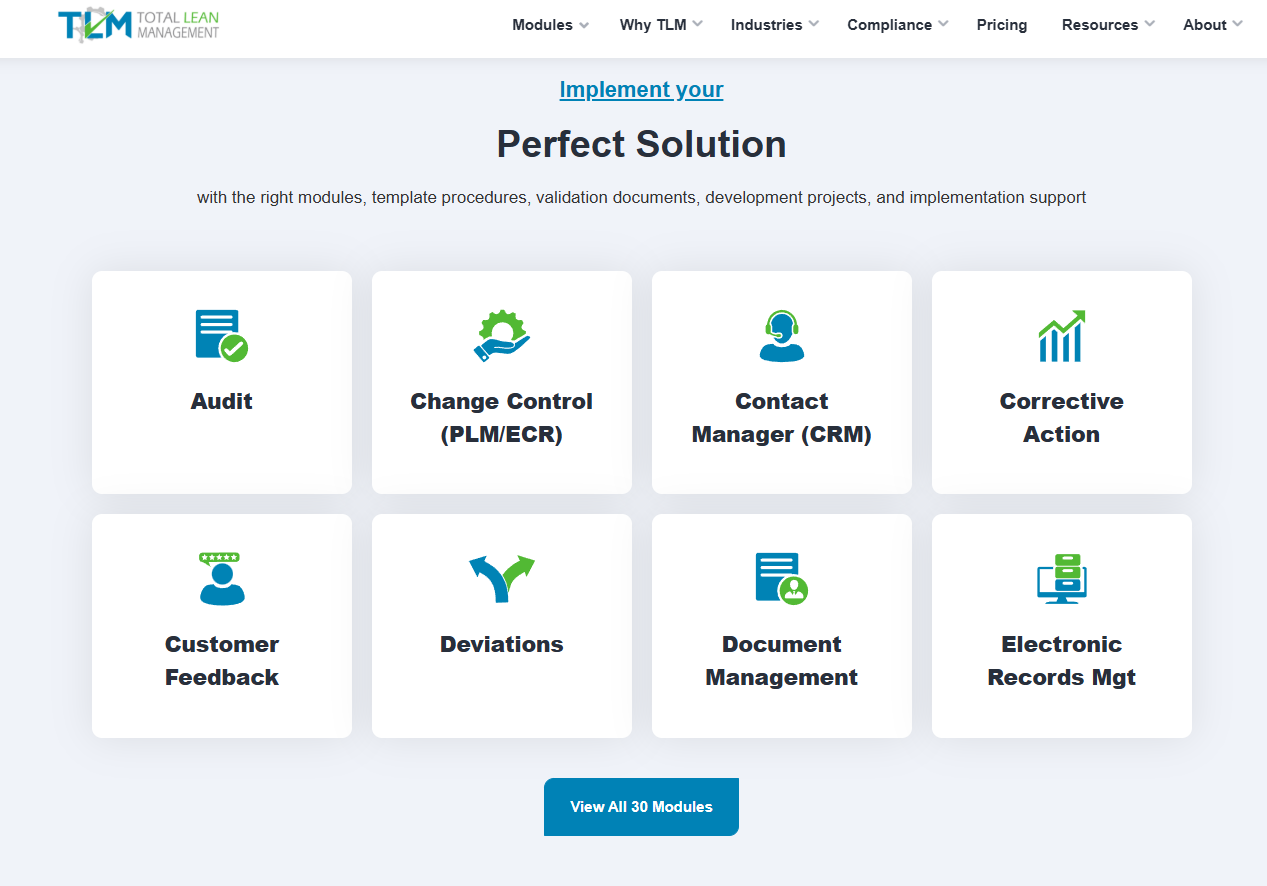
Most manufacturing quality control tools split inspection records, audit findings, and document updates into separate systems. That makes it harder for you to trace poor quality back to its source.
TLM connects production records, supplier data, CAPA records, documents, and training.
When a batch fails inspection, you can trace it back to raw materials, supplier performance, or a specific step in the process. This makes it easier to reduce downtime and protect brand reputation.
Audit tasks, CAPA actions, and document reviews move forward with assigned ownership and recorded updates. You can track what’s pending, what’s approved, and what still needs attention without relying on manual systems.
Key features like connected records and instant access give you what you need to review data and continuously refine quality control processes.
FAQs About Software for Quality Control in Manufacturing
What industries use quality control software?
Manufacturers use quality control software the most, including automotive, aerospace, electronics, food production, and medical devices.
These industries track defects, manage inspections, and keep records for regulatory audits and compliance. It also helps maintain customer satisfaction by keeping production consistent.
What are the four types of quality control in manufacturing?
The four types of quality control in manufacturing include process control, acceptance sampling, control charts, and product inspections.
Statistical process control tracks production data in real time so teams can catch problems before they affect finished products. Each method helps keep output within set quality standards.
What is the best software for quality control in manufacturing?
The best option depends on how you manage inspections, audits, documents, and corrective actions.
If your process relies on multiple tools, a system like TLM can bring those records together so you can track issues from inspection through resolution without losing context.