
Audits prove that your business runs with integrity. They show that your systems work, your teams follow procedures, and your risks stay under control.
However, doing audits manually is time-consuming. Errors happen, reports get delayed, and accountability becomes harder to maintain.
Audit management software changes that. It organizes your process, keeps your data in one place, and delivers accurate results faster.
This guide explains what audit management software is and how it improves audit performance. It also includes a list of the best tools to help your organization stay prepared, reliable, and compliant in every audit cycle.
What Is Audit Management Software?
Audit management software helps organizations manage the entire audit lifecycle from planning to reporting. It gives audit teams one platform to schedule audits, assign audit tasks, and track audit progress in real time.
The software replaces manual tracking with automated workflows that improve accuracy and consistency.
Internal auditors use it to conduct internal audits, assess business processes, and record audit findings in an organized format.
An effective audit management tool also supports external audits and compliance management. It keeps audit data secure, maintains audit trails, and helps meet regulatory requirements on time.
Features to Look for in Audit Management Software
Not all audit software delivers the same results. Look for capabilities that help your team manage complex audit processes with transparency.
- Workflow management: Manage audit workflows and audit tasks through every stage. Keep audit teams coordinated and audit progress on schedule.
- Custom templates and forms: Standardize how you collect evidence and record audit findings. Promote consistency across internal and external audits.
- System integration: Links the audit management system to existing systems such as ERP or document management tools. Maintain accurate audit data and support financial reporting.
- Reporting and analytics: Use data analytics to highlight trends in audit outcomes and risk assessments. Help compliance officers support enterprise risk management.
- Audit trails: Capture audit evidence and findings in one record. Add transparency for compliance tracking and external reporting.
- Security and compliance tracking: Protect sensitive audit data and support compliance workflows that meet regulatory requirements.
- AI-Powered Compliance Review: This uses AI to evaluate all your released documents against a specific section of a quality standard, saving time and ensuring compliance.
When you focus on these features, you’ll find an audit management solution that helps your organization manage audits with accountability.
6 Best Audit Management Software Solutions for 2026
Choosing the best audit management software depends on your audit structure, regulatory environment, and risk profile.
Below is a comparison of six leading options that support effective audit planning, tracking, and reporting.
1. TLM
Total Lean Management (TLM) helps organizations stay prepared for internal and external audits. It simplifies compliance work, organizes audit data, and provides teams with the insights they need for continuous improvement.
How TLM Supports Audit and Compliance Goals
TLM serves as a complete internal audit software solution within the Total Lean Management system. It centralizes audit data from all locations and supports various audit types, including process, supplier, and requirement audits.
You can create audits based on risk levels through Agile Total Lean Management audit cycles. These cycles adjust the level of detail so each audit matches your organization’s risk profile and compliance objectives.
TLM links internal procedures to the standards being audited, helping teams verify compliance faster and respond quickly to audit findings.
It supports several key standards, including the International Organization for Standardization (ISO) 9001, 13485, 14001, 17025, Hazard Analysis Critical Control Point (HACCP), International Automotive Task Force (IATF) 16949, and safe quality food (SQF).
Key Features
- Centralized records across all company sites
- Built-in templates aligned with ISO and quality management system (QMS) standards
- Configurable audit levels based on audit type and risk
- Supplier audit tools with customizable scoring
- Confidential settings for sensitive audit areas
- Automatic email alerts for audit tasks and schedules
- Real-time dashboards for compliance monitoring and audit tracking
- Tools for detailed reporting and evidence collection
- Integration with corrective and preventive action (CAPA), document management, and action plan modules
- Calendar sync with Microsoft Outlook for audit scheduling
- AI-Powered compliance reviews to identify gaps and predict risk.
Automation and Monitoring
TLM automates repetitive audit tasks, including scheduling, alerting, and report generation. It consolidates audit findings, corrective actions, and audit progress in one dashboard.
The Compliance Monitor lets officers track compliance status in real time and verify audit results against required standards.
Fusion Technology connects the audit module to other TLM systems. This creates a unified QMS that supports proactive risk management and ongoing audit accuracy.
Why Choose TLM
TLM helps teams complete audits with accuracy and structure. It improves audit visibility, simplifies reporting, and maintains regulatory compliance through integrated quality management tools.
2. ComplianceQuest
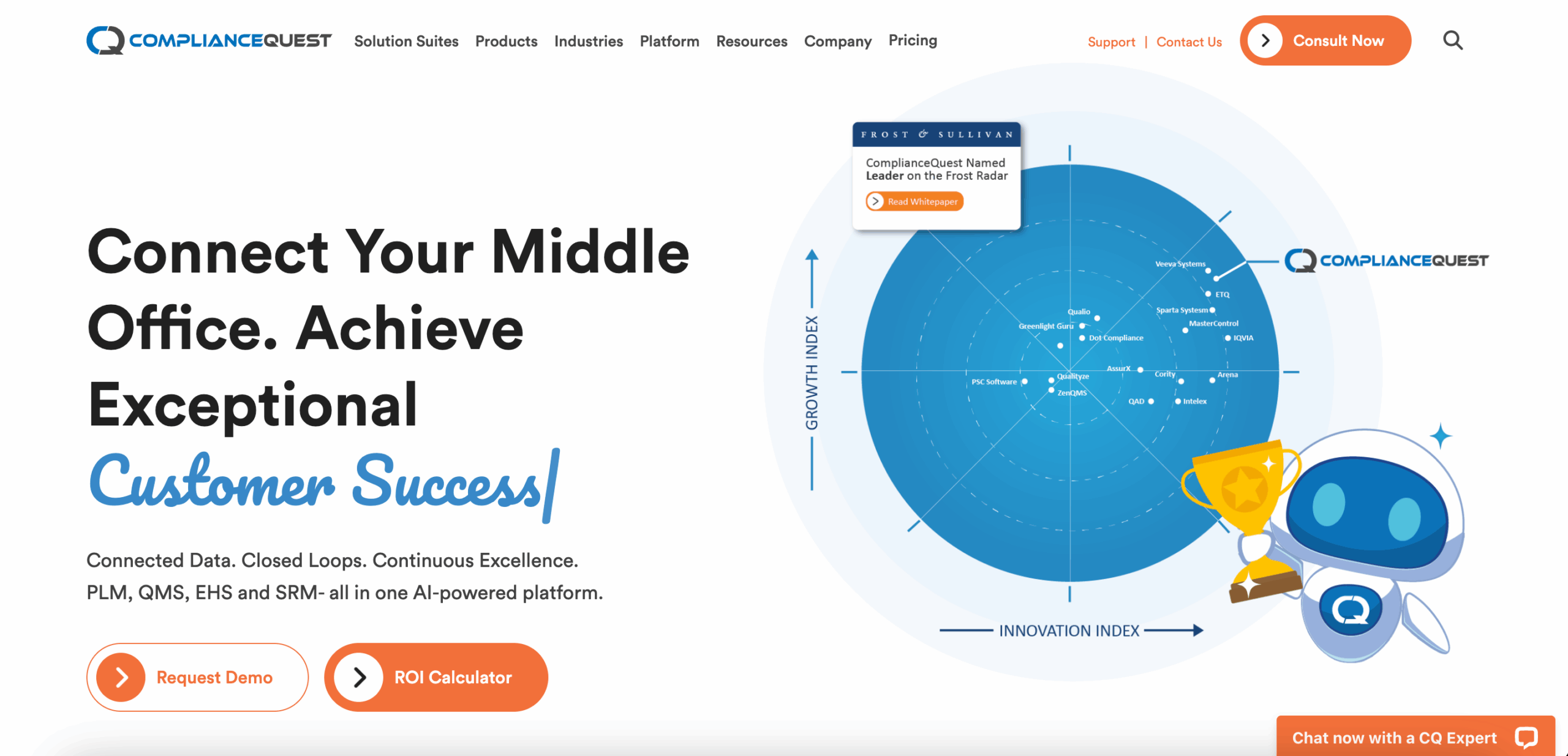
Image source: compliancequest.com
ComplianceQuest is an AI-powered platform that supports organizations in managing internal and external audits.
It automates audit planning, execution, and reporting while maintaining compliance with industry regulations and quality standards.
The system helps businesses organize audit functions across departments, suppliers, and regulatory programs.
It allows quality and safety teams to plan audit engagements, schedule reviews, and track results in one centralized workspace.
Key Features
- Configurable workflows that streamline audit workflows across internal and external audits
- Calendar-based scheduling for planning and managing multiple audit types
- Centralized storage for reports, audit findings, and corrective actions
- Integration with Training Management to assign qualified auditors
- AI tools that identify compliance gaps and predict risks
- Automated workflows for documenting audit results and follow-up tasks
- Access to previous audit data for tracking trends and evaluating performance
- Integration with CAPA and document control modules for continuous improvement
Pros
ComplianceQuest helps teams manage audit functions by automating repetitive tasks and maintaining organized records.
The system supports informed decision-making by connecting audit results with training and quality modules.
Its AI capabilities enhance risk visibility, helping organizations address issues early and stay aligned with industry regulations.
Cons
Implementation can take longer for larger organizations. Users mention slower response times when processing complex workflows.
Audit trails could provide more detailed information and support ticket resolution, which sometimes requires follow-up.
Smaller teams may find the system’s configuration options more extensive than needed.
3. MetricStream
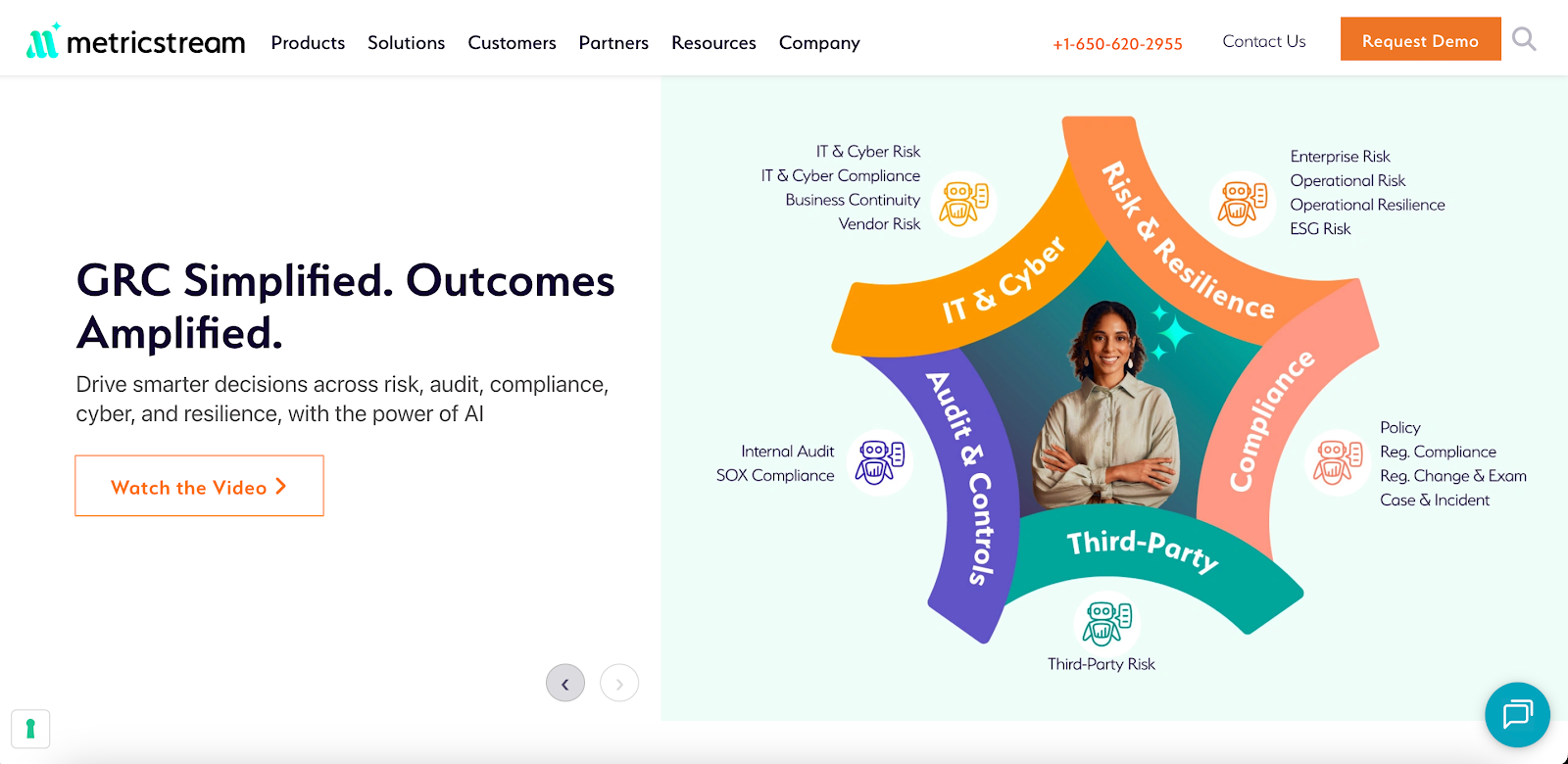
Image source: metricstream.com
MetricStream includes internal audit management software that focuses on risk-based auditing, compliance tracking, and issue remediation.
The system combines audit and risk management to help organizations manage complex audits and meet regulatory standards.
It supports the whole audit process, from planning to reporting. MetricStream also connects internal audits with financial and operational audits.
This helps organizations meet audit requirements and maintain compliance with regulatory bodies.
Key Features
- Risk-based audit planning that focuses on high-priority areas
- Auditor scheduling tools for workload and resource management
- Workpaper templates for documenting audit evidence and findings
- AI and machine learning that identify issues and recommend actions
- Automated workflows for issue tracking and audit reporting
- Dashboards for continuous monitoring and real-time audit status
- Integration with financial systems for reviewing financial data and statements
- Real-time analytics and automated compliance reports for performance audits
Pros
MetricStream connects audit and risk management in one framework. This integration helps audit teams link risk data to audit results and maintain transparency across departments.
Its AI tools speed up issue identification and improve risk awareness.
Cons
The interface isn’t very intuitive for new users. Customizing workflows can require extra technical help, and the system may slow down during heavy use.
Updates or configuration changes often take time to complete. Smaller organizations might find it too complex for their audit programs.
4. SAP Audit Management
Image source: sap.com
SAP audit management software helps organizations manage and automate internal audit activities.
It supports audit teams in planning, execution, reporting, and follow-up while maintaining compliance with industry regulations.
The platform simplifies audit documentation and evidence collection with mobile access and drag-and-drop tools.
SAP helps streamline audit processes, reduce manual work, and keep the internal audit process consistent across teams.
Key Features
- Mobile tools for capturing audit evidence and reviewing reports on the go
- Integration with SAP Risk Management, SAP Process Control, and SAP Business Integrity Screening
- Resource planning and scheduling tools to optimize staff utilization
- Centralized management of electronic workpapers and supporting documentation
- Predefined report templates and automated issue tracking
- Dashboards that display audit results, metrics, and audit engagements in real time
- Risk assessment tools for prioritizing high-impact areas
- Integration with financial data to support the review of financial statements
- User-friendly interface for managing audits across departments
Pros
SAP combines audit management and risk assessment within one connected system. The integration with other SAP modules supports a cohesive internal audit process.
Mobile tools simplify evidence collection, and dashboards provide quick insight into audit results.
Cons
New users may find the interface complex and navigation less intuitive. Some organizations report limited flexibility when customizing reports or audit workflows.
Predictive audit features are basic, and the system works best for companies already using SAP’s broader ecosystem.
Businesses using other enterprise systems may need additional tools to achieve full integration.
5. Archer
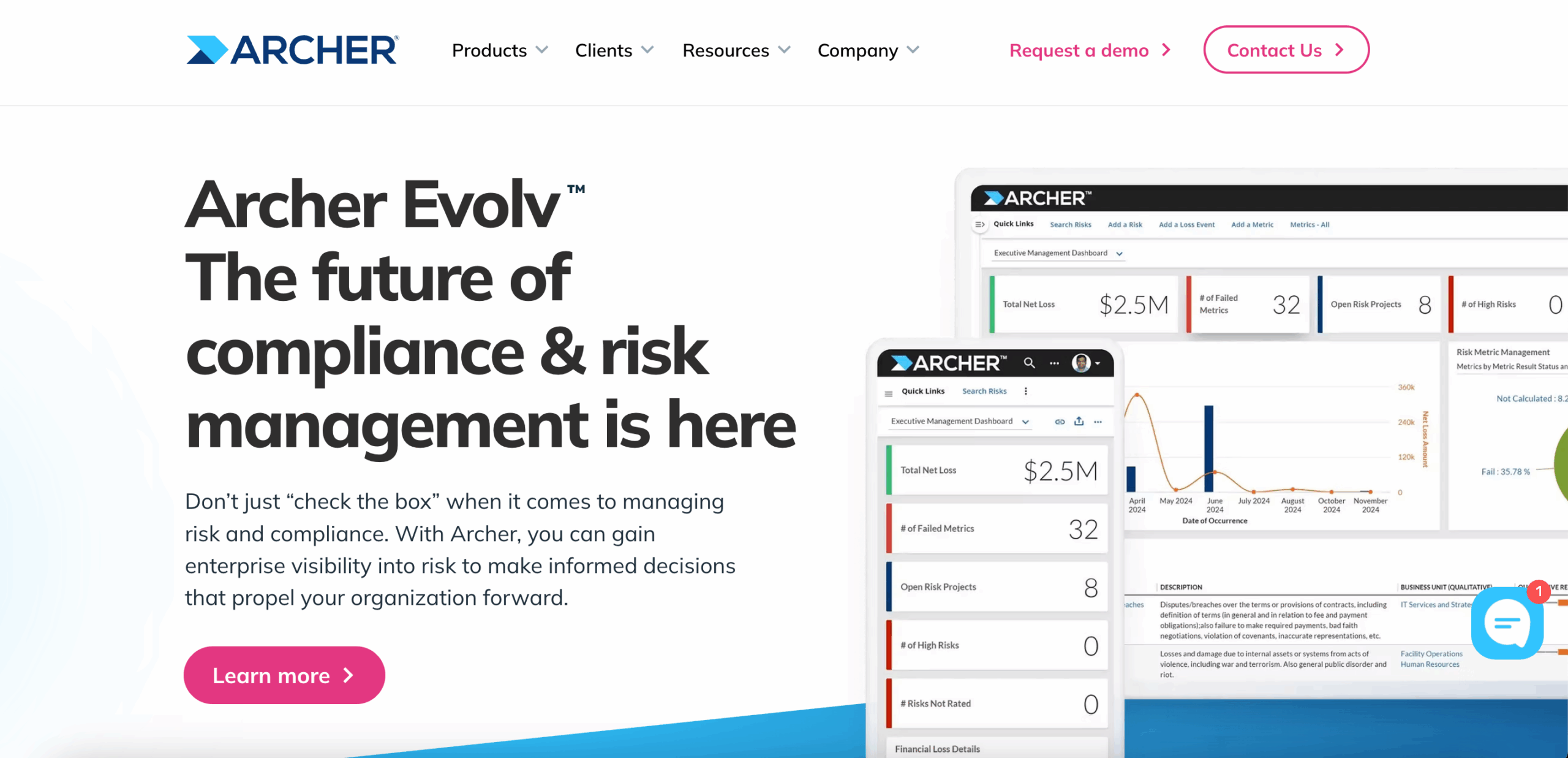
Image source: archerirm.com
Archer helps organizations manage their internal audit function through a structured, risk-based method. It centralizes audit planning, execution, and reporting in one platform.
The system connects audit data, findings, and controls to keep every audit activity organized in one system.
Archer supports collaboration between audit, risk, and compliance teams. It links audit results to risk data so teams can review performance and manage findings efficiently.
Its main modules include Audit Planning and Quality, Audit Engagements and Workpapers, and Issues Management.
These tools help internal auditors align their work with compliance standards and financial statements.
Key Features
- End-to-end audit lifecycle management
- Risk-based audit planning focused on key business areas
- Centralized tracking of audit engagements and remediation actions
- Workpaper documentation with approval workflows
- Integration with Archer Issues Management for monitoring and closure
- Dashboards and analytics that show risk trends and control data
- Templates for audit reports and planning memos
- Workflow automation that streamlines audit processes
Pros
Audit teams can manage their work consistently and coordinate with other departments. Dashboards display audit progress and control results to support informed decision-making.
The platform also connects with other risk and compliance tools to maintain a unified audit framework.
Cons
Customization can be complex and may require technical assistance. Building dashboards or workflows often takes additional time.
Reporting options are limited, and smaller teams may find the setup more demanding when managing multiple audits.
6. TeamMate+
Image source: wolterskluwer.com
TeamMate+ helps organizations manage the full audit lifecycle through a collaborative platform. It supports internal auditors from annual planning to audit execution, reporting, and follow-up.
The system integrates with data tools and external applications to help audit teams assess risk, manage performance, and complete audits.
TeamMate+ connects auditors, managers, and stakeholders in real time. It helps teams gather information, review findings, and share results through a simple interface.
The platform also serves industries such as financial services, manufacturing, and the public sector.
Each version adapts to industry-specific requirements and helps organizations stay compliant with regulations.
Key Features
- Full audit lifecycle management for planning, fieldwork, and reporting
- Continuous risk assessment that tracks and scores risk exposure
- Built-in data analytics for insights across audit engagements
- Role-based access controls and detailed audit trails
- Cloud and on-premise deployment options for secure use
- Resource scheduling and project management features
- Dashboards that show audit progress and key risk areas
- Benchmarking tools that compare audit maturity across industries
Pros
TeamMate+ connects auditors and stakeholders, helping them coordinate and maintain consistency across teams. Its benchmarking tools help auditors evaluate performance against peers in other industries.
Cons
Users find the interface less intuitive and the setup more complex. Dashboards don’t always display detailed review levels, which can make progress tracking harder.
Large files take longer to open, and performance may slow when switching between sections. Managing user roles and permissions can also take extra setup time.
Maintain Audit Accuracy Across Every Standard With TLM

Auditors know the challenge isn’t scheduling an audit. It’s keeping every phase consistent, documented, and easy to track.
TLM supports the full audit process, from planning through follow-up. Its workflows keep audit activities organized and consistent across departments and locations.
TLM supports audits based on risk level and scope. You can set up audits for ISO 9001, ISO 13485, and other standards. Each requirement links to internal procedures, helping you trace findings and verify corrective actions.
The Compliance Monitor tracks progress and keeps status data current for each standard. All reports, records, and audit results stay consolidated, reducing manual work and data errors.
The platform automates scheduling, alerts, and report generation to maintain audit timelines.
Organizations that manage complex audit programs use TLM to maintain structured, reliable processes. Auditors can manage records, track progress, and verify compliance with precision.
FAQs About Audit Management Software
What is the best audit management software?
The best audit management software depends on your company’s size, audit scope, and compliance goals.
TLM is a strong option. It supports internal and external audits, automates scheduling and reports, and helps maintain compliance with multiple standards.
What are the four types of audit?
The four main types of audit are financial, operational, compliance, and internal audits. Financial audits review financial statements for accuracy. Operational audits measure how well resources are used.
Compliance audits check if laws and regulations are followed. Internal audits assess risk management and internal controls within the company.
What are the seven elements of an audit report?
An audit report has seven parts. These are the report title, introductory paragraph, scope paragraph, executive summary, opinion paragraph, auditor’s name, and auditor’s signature.
The title identifies the report, the body explains what was reviewed, and the opinion presents the auditor’s conclusion. Meanwhile, the name and signature confirm authenticity.