


Running a business means keeping promises to your customers. They expect consistent results and products that meet expectations every time.
Managing that quality can become complicated as your operation expands. A quality management system (QMS) centralizes standards, procedures, and records to ensure quality consistency across your operation.
This article will explain how QMS software for small businesses helps you deliver dependable results in a competitive market.
How Does QMS Software Work?
A quality management system helps a company maintain product quality and meet standards set by regulators. It organizes policies, procedures, and records that show compliance.
Quality management system software brings all that together in one place. It combines document control, audit management, and risk assessment tools. You can update files, approve changes, and manage corrective actions in less time.
This type of system isn’t limited to large or regulated companies.
Smaller operations in manufacturing or service industries use it to maintain compliance with the International Organization for Standardization (ISO) or the Food and Drug Administration (FDA).
This helps build credibility with customers.
Why Small Businesses Need QMS Software
QMS software helps small businesses stay on top of compliance, audits, and document control. Each feature supports consistent performance and dependable results.
- Productivity: QMS software automates quality tasks and shortens approval cycles. Teams track actions, update records, and complete audits faster.
- Compliance: Built-in audit management and document control tools help meet regulatory requirements. You’ll always have current records that satisfy ISO compliance and industry standards.
- Document management: Cloud-based QMS software stores all quality documents in one secure place. You can access, review, and share files without confusion.
- Customer confidence: Consistent performance builds loyalty. When your company meets quality standards, customers will trust your products.
- Continuous improvement: Regular reviews and corrective actions refine processes and maintain consistent performance across your business.
QMS software for small businesses helps maintain compliance, reduce errors, and improve coordination across departments.
7 Best QMS Software for Small Businesses
The right QMS software helps a company manage quality processes with consistency. Each option listed here supports compliance, organization, and reliable performance.
1. TLM
Total Lean Management (TLM) provides a comprehensive solution for companies pursuing ISO certification. The desktop application helps quality managers build and update the QMS.
The web application connects employees to their daily quality tasks and supports compliance with ISO, the FDA, and other regulatory audits.
Many companies struggle with software that forces them to change their internal process. TLM adapts to your workflow.
It brings document control, audits, and training together in one system so teams can keep quality activities organized and compliance on track.
Why TLM Stands Out for Small Businesses
TLM helps small businesses manage quality without added complexity. You can rename modules, edit fields, and update settings to match how your company works.
This customization makes it easier to manage audits, document approvals, and training records.
The TLM dashboard gives every user a focused view of their tasks. It tracks approvals, overdue actions, and audit items in one list. Email reminders notify users of pending work.
Reports from modules like corrective and preventive actions (CAPA), training, and audits highlight trends that support improvement. The system keeps records organized and traceable across departments.
Key Features
- Build your own Custom Forms with email notification and approvals
- AI-Powered compliance reviews and document content searching
- Custom fields for renaming modules and data labels
- System settings that add new options without interrupting current setups
- Location options to manage multiple sites under one system
- Dashboard that lists tasks, due dates, and priorities
- Email reminders for assigned actions
- Reporting for audits, CAPA, and training progress
- Connection Manager for linking data across systems
- Integrations with enterprise resource planning (ERP) systems, QuickBooks, and Zoho
- Modules for production, change control, customer relationship management (CRM), and human resources (HR)
Deployment and Security
TLM can run on your local network or be hosted in the cloud. You can move between both setups as your operation changes. Multi-factor authentication (MFA) secures access across the main app, web app, and portal.
Hosting and technical support are based in the United States and follow national cybersecurity standards to protect business data.
Getting Started With TLM
You can test TLM before you commit. Start with a community trial to explore sample records.
Choose a dedicated trial if you want to upload your own data and see your workflows in place. Both options include help from the TLM team.
Training doesn’t stop after you sign up. The TLM training center offers short videos you can link to internal training records.
You can also book consulting for implementation support. Remote or on-site options are available.
Validation matters for regulated teams. TLM provides validation templates that support ISO certification for medical device companies. These templates help you prepare faster and reduce manual document work.
Most smaller manufacturers can implement it in about eight weeks. That timeline assumes you already have some procedures and that reviewers approve documents on schedule.
See how TLM transforms quality management for your business. Request a demo or start your 30-day free trial!
2. ETQ Reliance QMS
Image source: etq.com
ETQ Reliance is quality management software built for small businesses that need to manage compliance and quality operations. It uses core applications to organize and monitor every part of the process.
It’s widely used in manufacturing, life sciences, and other regulated industries that depend on accurate documentation and process control.
This cloud-based platform brings together document control, audit management, supplier oversight, and training management in one place. Teams can assign actions, track results, and manage compliance tasks through built-in analytics.
The system also includes risk management tools that help identify and reduce potential issues early.
Key Features
- Manages controlled documents with full revision tracking
- Tracks employee progress through training management tools
- Plans and monitors audits with scheduling and reporting
- Handles CAPA to fix recurring issues
- Monitors supplier quality and performance across operations
- Supports risk management for proactive compliance
- Provides dashboards and reports for tracking quality performance
Pros
ETQ Reliance helps small businesses stay compliant while maintaining consistent quality standards.
Some users find its CAPA, document control, and risk management modules useful. They make audit preparation and follow-up more organized.
The cloud-based setup also supports alerts and reminders that keep compliance activities on schedule.
Cons
Users report that the system’s setup takes time, especially when customizing reports or workflows. The learning curve can be steep for first-time users.
Some users mention that the interface feels dated and the mobile experience could be more intuitive.
Integration with older or less common systems might also require technical help during implementation.
3. AssurX
Image source: assurx.com
AssurX is quality management software that helps small businesses manage compliance and quality operations in one system.
It’s used in manufacturing and the life sciences industry to replace paper-heavy processes with digital workflows.
The platform includes built-in tools for documentation, tracking, and reporting that help teams meet compliance requirements without constant manual work.
AssurX includes audit management, CAPA, supplier management, training management, and risk management. It also supports integration capabilities with ERP and CRM business systems.
Key Features
- Pre-validated workflows that reduce setup time
- Centralized document management with electronic signatures
- CAPA and risk management tools for identifying and resolving issues
- Supplier management for monitoring quality across the supply chain
- Training management for tracking employee certifications and completion
- Integration with ERP, product lifecycle management (PLM), and CRM systems
- Dashboards that display real-time performance and compliance data
Pros
AssurX offers configurable workflows and supports integration with other business systems. Its pre-validated setup helps reduce initial setup time, and dashboards provide visibility into performance data.
The software’s structure supports consistency across compliance processes and documentation management.
Cons
Setup and configuration can take time, especially for users without technical experience. Most users find the interface less intuitive than newer cloud tools.
Creating custom reports or forms can be complex, and administrators often say that more training resources would make setup easier.
4. Qualio

Image source: qualio.com
Qualio is QMS software for small and mid-sized life science companies. It helps organizations in medical device manufacturing, biotechnology, and pharmaceuticals maintain compliance in regulated industries.
The system replaces paper-based processes with digital workflows that support global quality and regulatory requirements.
This cloud-based system combines quality control, training, and document management in one place. It helps teams organize compliance activities, maintain traceability, and keep records accurate across departments.
Key Features
- Document control with version tracking and approval workflows
- CAPA and change management for resolving nonconformances
- Training management to monitor employee certifications
- Risk management aligned with industry regulations
- Design controls that track compliance during product development
- Audit management with scheduling tools and automated reminders
- Centralized dashboard for reviewing compliance data and reports
Pros
Qualio helps businesses maintain consistent compliance processes. A few users find its document control and training management tools helpful for maintaining up-to-date quality records.
Others also like that existing records can be imported easily when moving from paper-based systems.
Cons
Users mention several challenges with Qualio. Updating older documents can be difficult, and the dashboard lacks some useful functions.
The login process is secure, but it can feel slow, and session timeouts happen often.
Some templates duplicate each other, which can confuse users. Review reminders also stop after one notification, which may delay document approvals.
5. Propel
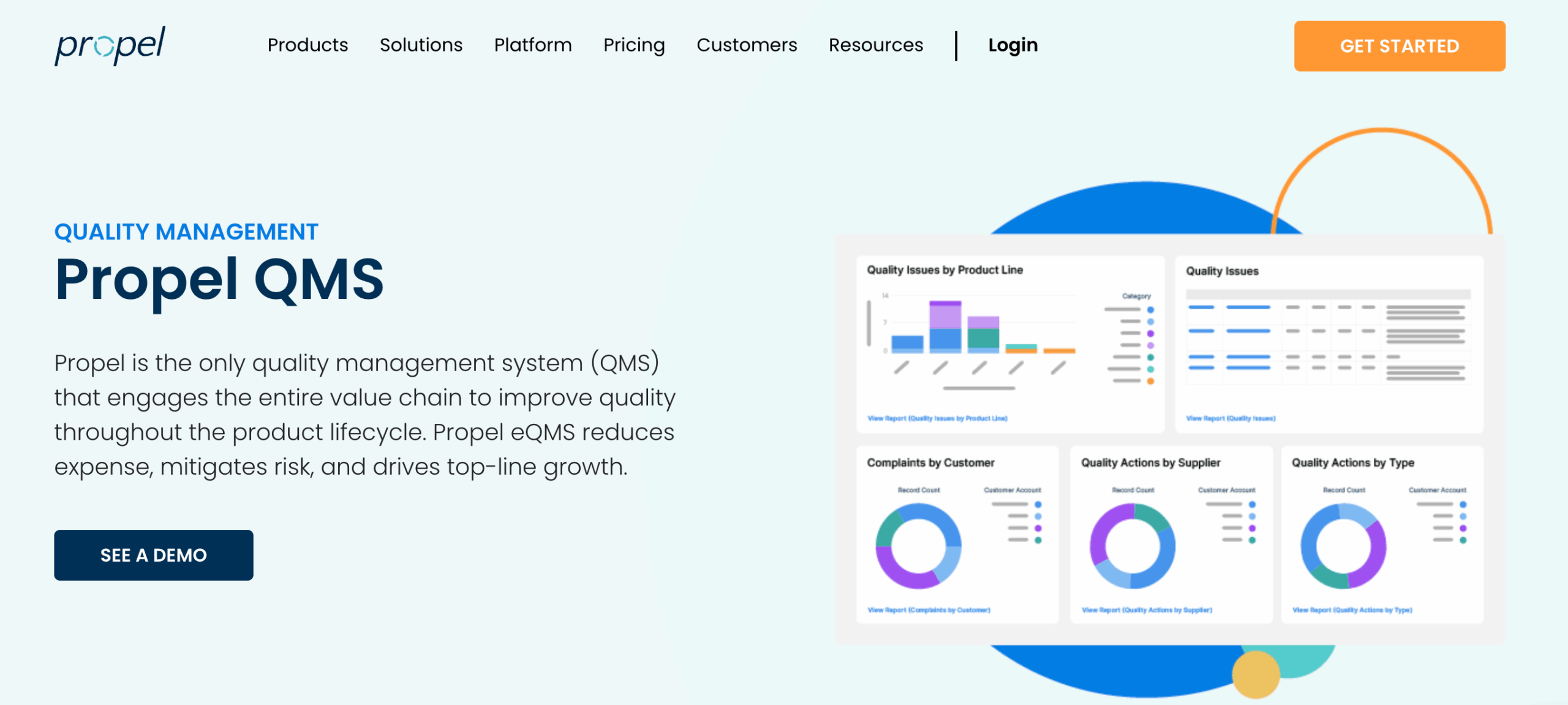
Image source: propelsoftware.com
Propel is quality management software that connects quality, engineering, and product teams within one system. It helps businesses in regulated industries manage compliance, documentation, and supplier quality.
The system improves visibility across the product value chain and supports better coordination among departments.
This cloud-based platform combines document control, training management, and change tracking. It helps companies maintain audit readiness and meet regulatory compliance requirements.
Propel is often used by growing businesses that need structure and consistency across their operations.
Key Features
- Document control and approval workflows with complete revision history
- CAPA management to track and resolve product or process issues
- Supplier quality management and performance monitoring
- Training management to maintain compliance with current procedures
- Change control workflows that record product updates and approvals
- Audit management tools with automated scheduling and reporting
- Complaint handling with configurable workflows and decision tracking
Pros
Some users note that Propel keeps product and quality data connected in one location. It helps teams manage documentation, track changes, and maintain compliance across departments.
The intuitive interface supports collaboration among teams and improves visibility across quality processes.
Cons
Most users report that the search tools can be restrictive and require precise terms to find records. Others mention that navigating deep product structures can take extra time.
A few also report that new updates sometimes introduce minor bugs that can affect performance until patches are released.
6. Intellect
Image source: intellect.com
Intellect QMS is AI-powered software designed specifically for manufacturers and life science companies.
It helps businesses manage compliance, automate documentation, and maintain quality across regulated operations.
The platform supports both cloud-based and on-premises deployment, offering flexibility for different business environments.
Intellect brings together document control, training, and audit management in a single platform. Its regulatory compliance features help companies meet ISO and FDA standards.
Businesses can add modules to extend functionality and customize workflows for their unique processes.
Key Features
- Document control with version tracking, approval workflows, and audit trails
- CAPA management to record, monitor, and resolve nonconformances
- Training management for tracking certifications and compliance
- AI-powered analytics for data-driven decisions and performance insights
- Risk management tools that identify and mitigate potential issues
- Integration options that connect with existing business systems
- Modular design to add applications as requirements change
Pros
Some users appreciate that Intellect can adapt to different manufacturing environments. The software helps maintain consistency across departments.
Others also find the system’s AI features useful for analyzing trends and improving data visibility.
Cons
Users report that configuring certain workflows can take time and require training. Some find that system speed slows down during encryption-heavy operations.
Others mention that navigation can feel complex at first and that login interruptions occasionally disrupt workflow continuity.
7. ZenQMS

Image source: zenqms.com
ZenQMS is cloud-based quality control software built for life science organizations that need a reliable way to manage compliance and maintain high standards.
It helps teams handle document control, training, audits, and CAPA processes within a single system.
It’s validated for ISO and FDA requirements, supporting industries where accuracy and traceability are key.
ZenQMS provides easy access for all users without seat-based restrictions, which helps small and mid-sized businesses scale without added licensing costs.
It also offers modules that cover training management, audit preparation, and supplier quality, giving users a unified view of compliance data.
Key Features
- Document management with collaborative editing and version tracking
- Training management with automated reminders and built-in quizzes
- CAPA and issue tracking with closed-loop workflows
- Change control for managing and recording organizational updates
- Audit and supplier management with tracking tools and reports
- Secure eSignatures compliant with the FDA
- Analytics dashboard to monitor compliance and performance trends
Pros
Several users say ZenQMS is easy to navigate and helps teams work together across departments. The configuration options make it possible to adapt workflows to specific company processes.
The system also helps track training progress and prepare for audits more easily.
Cons
Users find the document numbering system unintuitive and wish that deleting draft files were simpler. Others mention a learning curve during data migration and say that parts of the audit trail remain complex.
Some users also note that software updates occasionally introduce bugs that require quick follow-up patches.
How to Choose the Right QMS Software for Your Small Business
The right platform supports your team’s goals, improves daily operations, and gives your business a competitive edge.
Here are the key points to consider when making your decision:
- Identify your quality goals: Some businesses need better compliance tracking, while others focus on improving product consistency or organizing documentation. Set clear goals so you can choose software that boosts operational efficiency and supports long-term improvement.
- Evaluate features and scalability: Look for a system with tools that automate approvals, manage documents, and track audits. Make sure it can keep up with your business. You shouldn’t have to replace your QMS when your team or operations expand.
- Compare pricing and deployment options: Choose between a cloud or on-premises setup. Cloud systems make updates and access simpler, while on-premises options offer more control. Review the full cost, including setup, support, and training.
- Check integration and support: Choose software that connects with your other systems. Integration with tools that track production or customer feedback helps you make informed decisions.
Stay Compliant and Confident Through Every Audit With TLM

Managing quality often becomes complicated when documents, audits, and training are spread across different systems.
TLM connects all your quality processes in one platform. You can manage compliance, track audits, and organize documents without sorting through paperwork.
The system supports communication, coordination, and compliance through its main application and web app. This gives everyone access to procedures, CAPAs, customer feedback, and training in one software.
You can start with the essential tools and add modules as your operations expand. Built-in templates and validation tools help you prepare for audits faster.
Integration with QuickBooks and Zoho keeps your data consistent across departments.
The dashboard displays every task in one view. You can track training, approvals, and audits while keeping records updated and responsibilities clear.
FAQs About QMS Software for Small Business
What is the best QMS software?
The best QMS software depends on your company’s size, goals, and compliance requirements. Many businesses prefer systems that are affordable, simple to use, and adaptable as they expand.
TLM stands out by combining document control, audits, CAPA, and training management in one platform.
How much does QMS software cost?
QMS software pricing varies by provider, setup type, and number of users. Many systems cost a few hundred to a few thousand dollars each year.
Some providers charge per user, while others, like TLM, offer scalable pricing and unlimited web app licensing to keep costs predictable.
What are the four types of QMS?
The four main types of QMS are enterprise, cloud-based, on-premise, and hybrid systems. Enterprise QMS platforms suit large organizations with complex operations.
Cloud-based systems serve businesses that need remote access. On-premise systems offer more control, while hybrid platforms combine both options.
What is the best small business management software?
The best management software depends on your company’s priorities. TLM provides an integrated system for managing audits, documents, and training from one place.
It connects with existing tools such as QuickBooks and Zoho to keep records consistent across departments while maintaining focus on quality and compliance.


 Demos
Demos